











ImgLarger: AI Image Upscaler & Photo Enhancement Tool

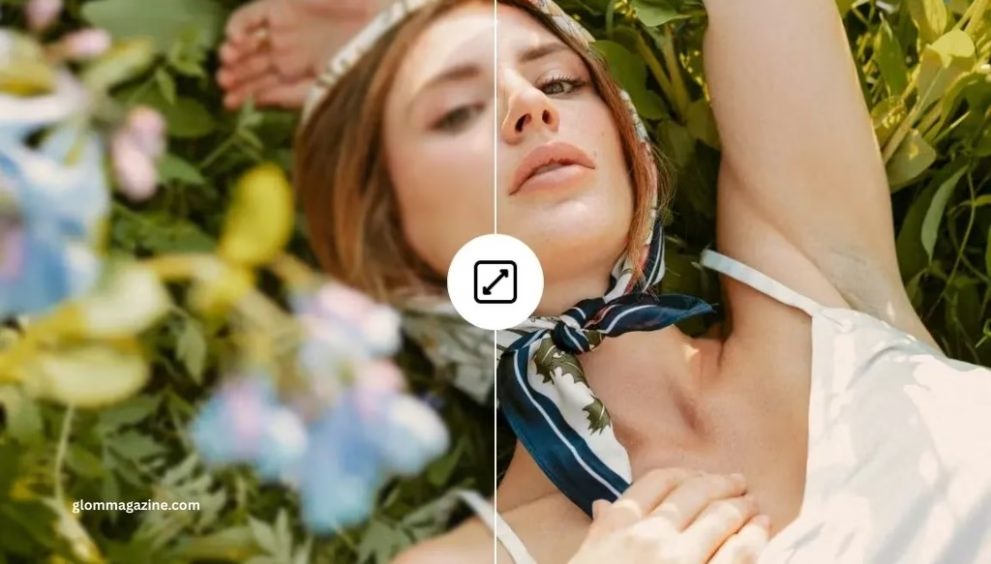
Need to improve the quality of low-resolution images?
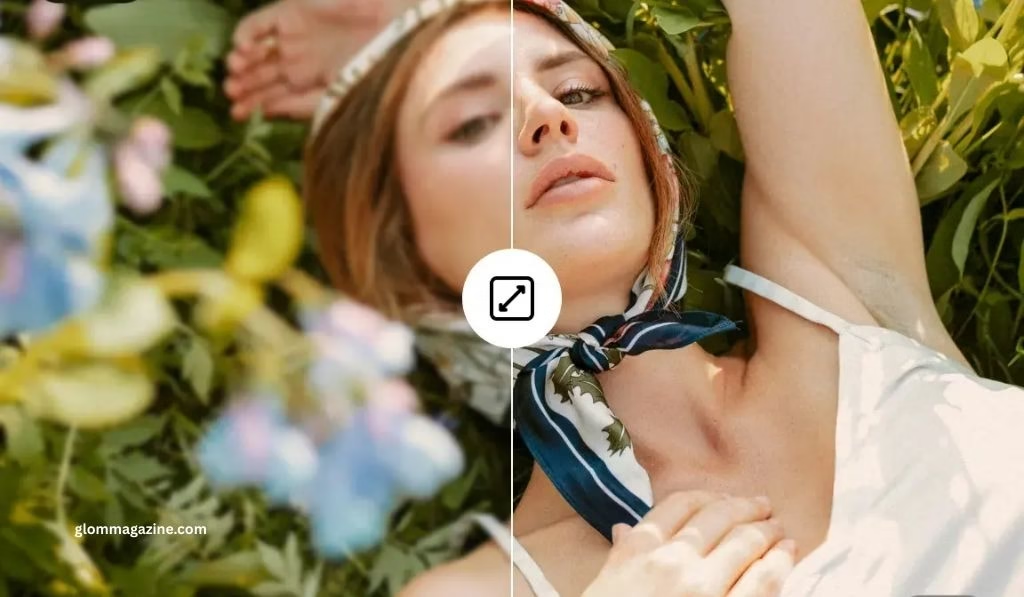
ImgLarger is an AI-powered image enhancement software which can turn low-resolution pixelated images into high-quality crystal clear images in a few seconds.
You need no technical skills, be it a photographer, designer, online store seller, or social media producer, ImgLarger can produce professional outcomes.
What Is ImgLarger?
ImgLarger is an online photo enhancement platform (AI) that was developed in 2018 by Shane Steven. The device applies hi-tech artificial intelligence and super-resolution technology to enhance pictures by 200, 400, or even 800 percent with stunning clarity and details.
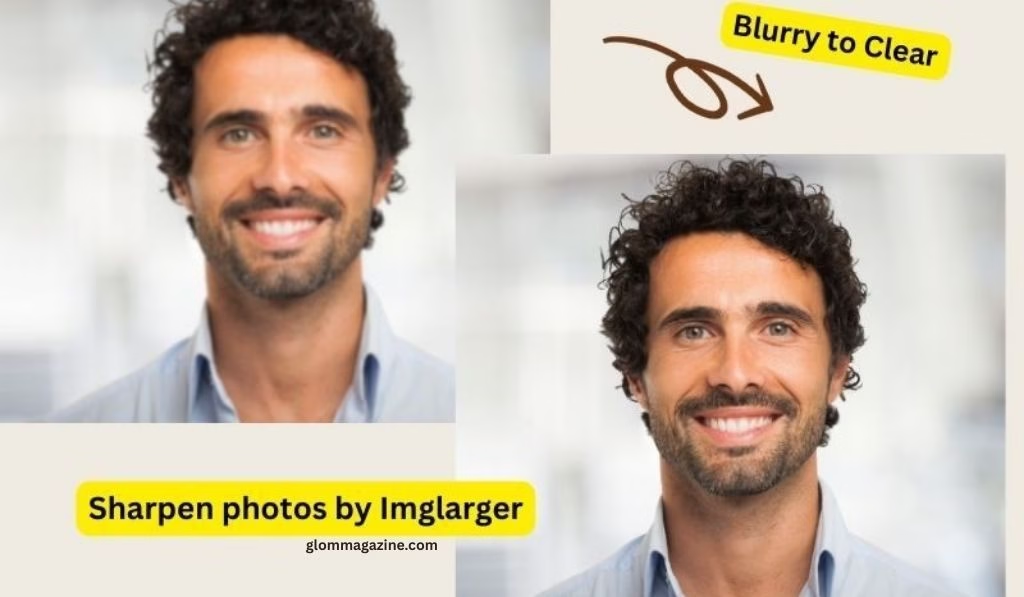
When compared to the old image resizing software which just hires the pixels and produces a blurry look, the AI powered ImgLarger software smartly processes your images and fills in the missing pixels depending on what the adjacent image consists of.
This gives it a sharp, natural-like image that is ideal to be printed, used on the web, or social media.
How Does ImgLarger Work?
ImgLarger is based on the deep learning convolutional neural networks which are trained using image pairs which are in millions. The AI upscaling process follows this way:
The AI scans through your photo to detect patterns, textures, edges and details. It identifies the common characteristics such as brick walls, facial features, hair strands, and texture of fabric.
Referring to this analysis, the neural network creates further pixels smartly and not merely imitating the ones that are present.
The result? Better images with a realistically sharp appearance with no artificial stretching and pixel enlargement of images. The whole procedure consumes only 10-15 seconds per picture.
Key Features of ImgLarger

AI Image Upscaler
Upscale images to 8K with scaling of 200, 400 and 800. The tool is of high quality even when greatly scaling up the image dimensions and therefore it is most suitable in large-format printing and high-resolution display.
Batch Processing
Work with multiple images at a time, in order to save time. The free users are allowed to upscale 5 images simultaneously, whereas premium subscribers have greater quotas. The image is ideal in the case of photographers and e-commerce companies with volumes of photos.
AI Image Enhancer
Other than upscaling, ImgLarger auto-corrects colors, changes contrast, optimizes brightness and improves image quality in general. The AI recognizes problematic zones and implements the relevant improvements automatically.
AI Anime Upscaler
Models that are specific to anime artwork, manga and waifu images. This special upscaler maintains the individual art form with its sharp lines and bright colors typical of anime and adds resolution up to 16K.
Background Removal
Single-button artificial intelligence background remover that identifies people and deletes the background automatically. Best when used in product photography, portrait editing, and in making transparent PNG images.
Image Denoising & Sharpening
Eliminate noise artifacts generated by camera sensors and blur due to motion or focus problems. The AI sharpening tool corrects the photos in low-resolution photos without appearing natural.
Face Retouching
Facial recognition technology has promoted better quality of portraits through maximization of skin texture, minimization of blemishes, and optimization of facial features without appearance being artificial.
AI Uncrop Tool
Enhance the borders of images and create missing content with the use of AI generation. Crop portraits, landscapes, and artwork in an edited form into full-fledged compositions with perfectly created edges.
Built-in Image Editor
Extensive editing suite and crop, resize, rotate, flip, brightness/contrast/gamma, exposure, filters, text additions, etc. Enhance photos before or after upscaling without leaving the site.
Format Converter
Turn images of various formats such as JPG, PNG, WebP, JPEG, TIFF, and BMP. The converter is of good quality and also ensures that file sizes are optimized in various applications.
ImgLarger Pricing Plans
Forever Free Plan
- Cost: $0/month
- Credits: 10 credits/ month (10 credits are offered to new users when they register).
- Image sizes: 800px (other websites say 1200px)
- Upscaling: 200% and 400% options
- Characteristics: Simple editors and converters (free of charge, no credits needed)
Starter Plan
- Cost: $4.90/month
- Credits: 100 credits/month
- Upload Limit: Up to 3000×3000 pixels
- Functionality: AI upscaling, faster processing, batch-upscaling.
Premium Plan
- Cost: $9.90/month (most popular)
- Credits: 1000 credits/month
- File Limit: Increased file limits.
- Features Priority processing, all advanced features
Advanced/Everything Plan
- Cost: $19/month
- Credits: 2000+ credits/month
- Upload Limit: Up to 4000×4000 pixels
- Features: The highest processing speed, the ability to access all tools.
Note: Unused credits are carried over to the following month. Every plan will have a 7 days money back guarantee. Privacy protection means that images are automatically removed after 6-24 hours.
Read more: Understanding 127.0.0.1:62893 for Local Development
How to Use ImgLarger: Step-by-step Guide.
For General Image Upscaling:
- Go to ImgLarger.com and make a free account (not essential with the basic features)
- Drag and drop or click on the upload button to upload your image.
- Select upscaling ratio – Select either 200, 400 or 800% enlargement.
- Optional: Make changes to your image (crop, change brightness, add text and so on) with built-in tools.
- To start the upscaling process of the AI, press Start All.
- Preview: Have a preview of the result and make any other adjustments as necessary.
- Get your enhanced image- no watermarks on processed pictures.
Supported Formats:
- Input: JPG, PNG, WebP
- Storage capacity: 5MB (free-users), 10MB (premium)
- Maximum dimensions: 4.93 to 7.92 depending on plan.
ImgLarger vs Competitors
| Feature | ImgLarger | ImgUpscaler | Midjourney Built-in |
| Platform | Web-based | Web + Apps | Discord/Web |
| Free Access | 10 credits/month | Limited free | Paid subscription |
| Upscaling Options | 200%/400%/800% | 200%/400% | Max 2048x2048px |
| Batch Processing | Yes | Yes | No |
| AI Creative Upscaling | No | Yes | Yes |
| Signup Required | Yes | No | Yes |
| Max Output Resolution | Up to 8K | Up to 16K | 2048x2048px |
Who Should Use ImgLarger?
E-commerce Businesses
Improve the product images to provide details and customers will be more interested. High quality and constant images increase the sales and lower the returns.
Photographers & Designers
Repair damaged photographs, sharpen portfolio work, and also make photographs ready to be printed in large format. The time spent in manual editing is saved in batch processing.
Social Media Creators
Turn noisy selfies, travel photos and content into professional posts. Attractive images will trigger increased participation.
Real Estate Professionals
Enhance photos of property listing to bring out the interiors and exterior features. Images of high quality appeal to more buyers.
Anime Fans & Digital Artists
High-quality fan art, wallpapers and drawings without the art of anime becoming blurred. Best used in prints and digital displays.
Marketing Teams
Develop attractive visual information on campaigns, advertisements and presentations. Artificially intelligent applications facilitate quicker content development processes.
Pros and Cons of ImgLarger
Advantages:
- High speed (10-15 seconds per picture)
- None of the technical skills necessary.
- Various AI models of various types of images.
- Ability of batch processing.
- Privacy (photos are erased after 24 hours).
- Free plan available
- Compatibility with other platforms (web, Windows, macOS, iOS, Android)
- None of the processed images have any watermarks.
- Elaborate editing toolkit provided.
Limitations:
- Free plan (800px limit) file size.
- The use of credit based systems needs to be observed.
- There are complaints of customer service problems by some users.
- Processing speed depends on plan level.
- Lacks upscaling level, cannot customize upscaling.
- Monthly credit limits can be inappropriate to high volume users.
ImgLarger Alternatives
In case ImgLarger is not the way you want it, you can use the following alternatives:
- Upscale.media – Free online upscaling to 8x without having to sign up.
- Topaz Gigapixel AI – Professional desktop applications and superior AI models.
- Let’s Enhance – Web based with various pricing models.
- Upscale – Free Open Source desktop app.
- Deep Image – Deep learning methods.
- Pixelcut – Mobile-responsive and creative upscaling.
Frequently Asked Questions
What is the difference between AI image upscaling and standard resizing?
The classical resizing merely magnifies the already existing pixels making them blurred and pixelated. AI upscaling applies machine learning to smartly create new pixels that are guided by the image content to create sharp, natural-looking images that do not degrade as the image gets larger.
Does ImgLarger support 4K-image upscaling?
Yes, ImgLarger is able to upscale images to 4K and even 8K. All you have to do is to upload your picture and choose the percentage that you want your picture upscaled. The AI will be able to improve the details automatically to create high quality 4K images which can be displayed on large screens and even printed in a professional manner.
Would ImgLarger be safe to use on sensitive photos?
ImgLarger deploys powerful privacy practices. Every one of the uploaded and processed images is removed automatically in 6-24 hours after processing. None of the data is stored and shared with a third party, and the site uses 256-bit encryption of the transactions via the help of the SSL.
What is the difference between AI Image Enlarger and AI Image Upscaler?
Both tools are used to enlarge images however, in different ways. The AI Image Enlarger focuses on the sharpening and increasing details to make the results brighter. The AI Image Upscaler is dedicated to smoother and more natural expansion that can be used to produce smoother and finer results. ImgLarger provides both of them based on your requirements.
Is it possible to use ImgLarger with my mobile phone?
Yes, ImgLarger can be used on smartphones and tablets with the help of web browsers. There is also the use of specific mobile applications (PhotoAI) allowed in both iOS and Android devices, which have the same strong functionalities but with mobile-friendly interfaces.
Does ImgLarger deal with anime and cartoon pictures?
Absolutely! ImgLarger has a specialized AI Anime Upscaler that is developed to scale anime, manga, as well as cartoon artwork. In this model, the distinctive features of the anime art styles such as sharp lines, rich colors, and peculiar texture are not lost and more resolution is provided.
What is the free-upscaling limit of the number of images?
The free users will have 10 credits per month and each image will cost 1 credit to be processed or downloaded. You are allowed to upgrade to 10 pictures per month at no cost. Increased volume requirements can be availed of subscription plans of 100 to 2000+ credits per month with a roll over.
Final Decision: Is ImgLarger Worth it?
ImgLarger can be considered a suitable, trusted, and user-friendly AI image upscaling tool that can be used by users of different levels and occupations.
The free version will have enough credits to use as and when required, whereas the paid subscriptions will be worth it to frequent users of photo enhancement services.
The advantage of this platform is that it is simple, fast, and has a rich feature set. New to advanced upscaling and de-noise, removal of anime background, and enhancement, ImgLarger is the one place where most of the image enhancement needs are met.
Non-expert users who may need a lot of customer support or need to process hundreds of images per day may, however, wish to consider some alternatives with more generous credit limits or regional processing options.
Altogether, in case you want a simple yet efficient means of improving the quality of images with no complex software and skills required, ImgLarger can provide you with the professional results that will be worth its free and paid versions.